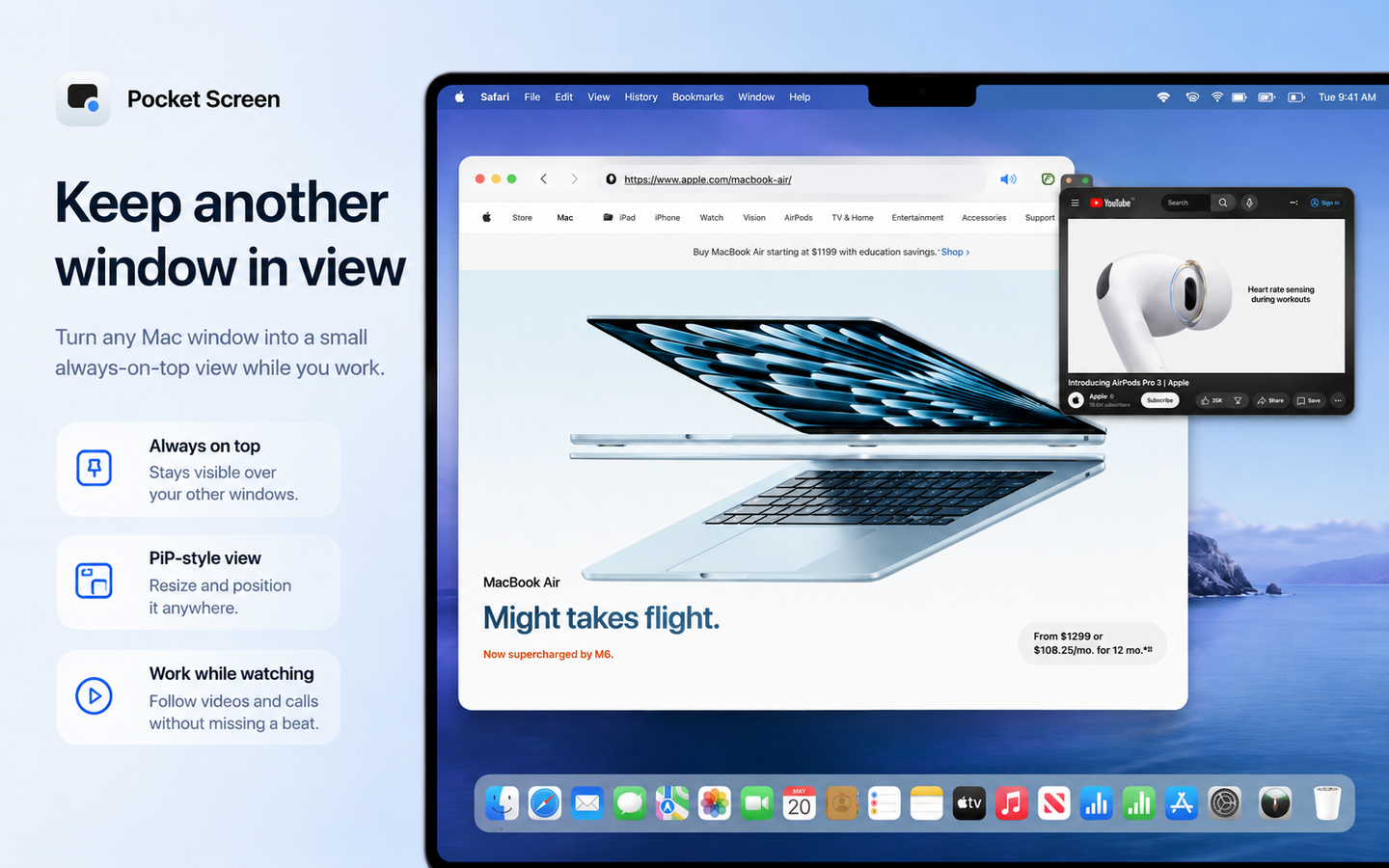
Pocket Screen is a powerful macOS utility designed to revolutionize productivity on a single screen by allowing users to keep any application window visible as a floating overlay. It eliminates the constant need to switch between windows, enabling a more focused and efficient workflow. This tool is ideal for professionals, students, and anyone working on a MacBook without an external display, particularly in mobile or limited workspace environments like cafés, offices, or during business trips.
Key Features
- Transforms any Mac application window into a resizable and repositionable floating view.
- Enables "click-through" functionality to interact with the application behind the floating window.
- Offers instant show/pause control via a convenient keyboard shortcut.
- Ensures privacy with local display; window content is never sent outside your Mac.
- Provides a generous free version with unlimited 10-minute sessions and no expiration.
- Supports macOS 14+ on both Apple silicon and Intel Macs.
Use Cases
Pocket Screen significantly enhances workflows by keeping essential information always in sight. It's perfect for writing documents while simultaneously viewing reference PDFs or webpages, or following detailed instructions while entering data, ensuring accuracy and continuity. For those on the go, whether at a café, library, or during a business trip, it allows you to maintain your preferred multi-window workflow even when an external display isn't available. You can pin important elements like timers, progress views, or chat windows to monitor them effortlessly while focusing on your primary task. This solution addresses the common friction of working on a single screen, where repeatedly opening and closing reference materials breaks concentration, fostering deeper focus.Pricing Information
Pocket Screen operates on a freemium model. Users can start with the free version indefinitely, which offers unlimited sessions of up to 10 minutes with all features enabled and no registration required. For those who need longer continuous use, a one-time purchase of $9.99 unlocks unlimited session length, with no recurring monthly fees.User Experience and Support
The application boasts a straightforward and intuitive user interface, allowing users to easily turn any window into a floating view and adjust its size and position. Instant control via shortcuts contributes to a smooth user experience. For detailed instructions and troubleshooting, comprehensive support documentation is available on the Toybird Labs support page.Technical Details
Pocket Screen is a native macOS application, supporting macOS 14 or later on both Apple silicon and Intel Mac devices. A key technical advantage is its commitment to user privacy: all window content is displayed locally on your Mac and is not transmitted to external servers or AI services, ensuring your data remains secure and private.Pros and Cons
Pros:- Eliminates constant window switching, boosting focus and productivity.
- Highly flexible with adjustable floating window size and position.
- Includes a generous, indefinite free version.
- One-time purchase for unlimited sessions, no subscriptions.
- Ensures data privacy by processing content locally.
- Free version has a 10-minute session limit for continuous use.
- Exclusively available for macOS, not cross-platform.
- Requires macOS 14 or later.
Conclusion
Pocket Screen offers an elegant and effective solution for maximizing productivity on a single Mac screen, transforming how users interact with their digital workspace. By keeping vital information visible and accessible, it fosters deeper concentration and a more fluid workflow. Explore Pocket Screen today to experience a more comfortable and efficient way of working.Comments
Achievement


Publisher

Launch Date2026-08-11
Platformdesktop
Pricingfreemium
Tech Stack
#macOS#desktop#menu bar#window management#screen capture
Sponsors

Product Hunt Email Scraper
Scraper Email for Product Hunt Daily leaderboard and peerlist, tinylaunch, uneed.
Become a Sponsor
Get your brand featured here
Outbid
View🥇 🥈
🥈 🥉
🥉
Want this spot? Pay what you wantBoost Domain Rating - Boost Domain Rating is a platform to discover and upvote the best tech products. Find top products launching daily.
Boost Domain Rating is a platform to discover and upvote the best tech products. Find top products launching daily.
$35
DirEasy - The Best Directory Boilerplate with AI | DirEasy
The best directory boilerplate, packed with AI, Listings, Payment, Submission, CMS, Blog, Authentication, Newsletter, SEO and more.
$30
Quiz Shot - Solve Any Screenshot Question in Seconds.
AI Study Assistant that answers any screenshot question. Get free AI tutor and step-by-step math and homework help with ChatGPT.
$25